

A morning at the bench
DispatchThread is not a dashboard you check. It is the screen that is open on the packing PC all day, and everything on it is arranged around the order in front of you.
Pull the batch
Everything awaiting fulfilment arrives on the queue, sorted the way you work. Filter to one shop, to Express only, or to what is running late. Anything made to order is flagged before it is picked. Tick fifty and prepare them in one press.
Pack and print
Packing slip first, then the Royal Mail label, both to the printer on that bench and no other. Six by four inches at 203 dpi, so it comes off a thermal printer at full size with nothing scaled to fit, and the sheets stack in the order you need them.
Send it, or hold it
Confident orders write back to BigCommerce straight away. The ones you are not sure of wait for the slip's barcode to be scanned, and that scan is the moment the customer is told their parcel is on its way.
The rest of the order stays open
Anything you could not send is still on the queue tomorrow, with the right quantities remaining, ready to go out as its own parcel with its own tracking when the stock lands.
The actual paper
Every sheet below is the real thing, rendered by DispatchThread at six by four inches for a thermal printer, on demonstration orders. Nothing here is a mock-up drawn for a website.
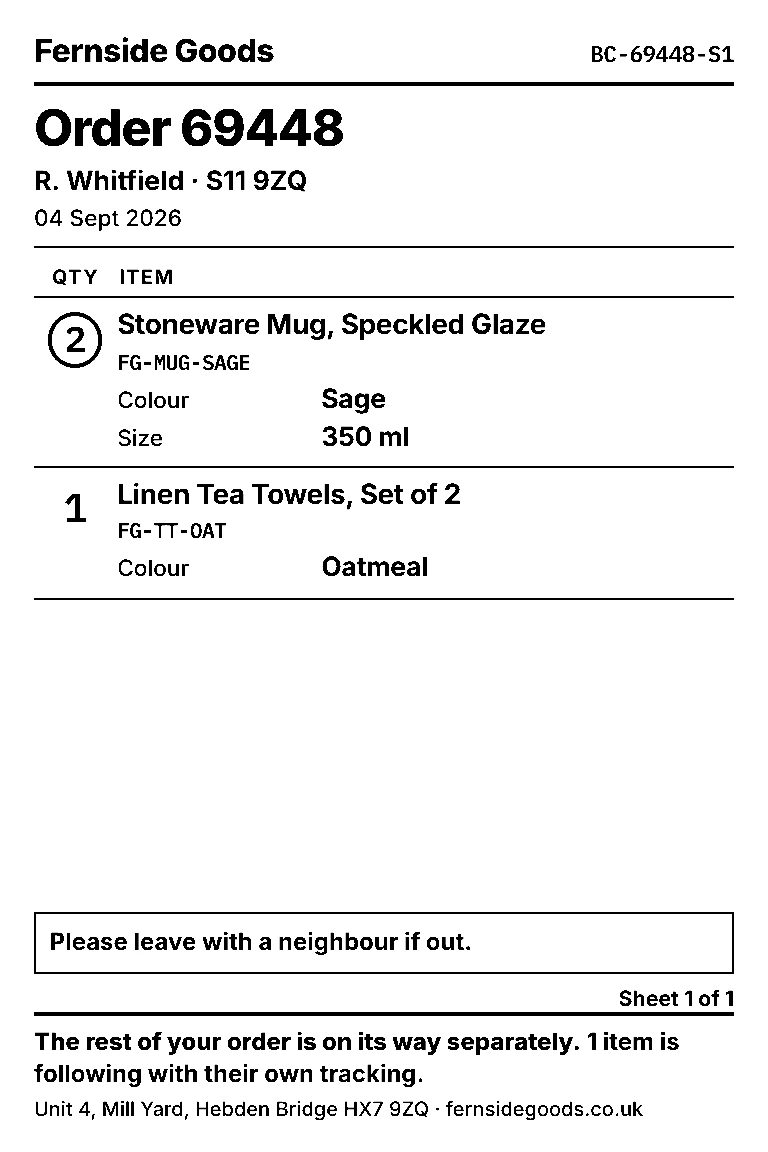
A part shipment
Two lines in this box, the third left open, and a sentence at the foot telling the customer the rest is on its way with its own tracking. Quantities above one are circled so nobody packs one when the order says two.
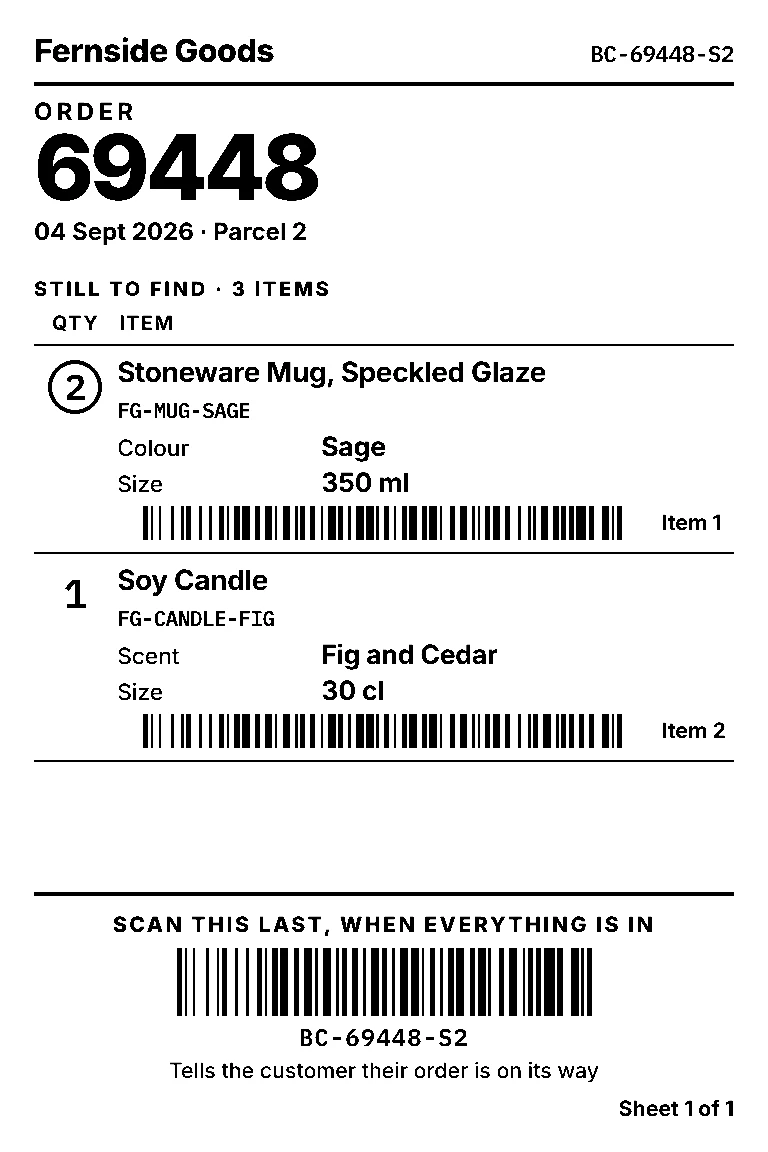
Waiting for a scan
The picker's sheet: what is still to find, each with its own barcode, and one at the foot to scan last, when everything is in. Until then the shipment is not written and the customer is not emailed. That last barcode is the parcel, not the order, so it releases this box alone.
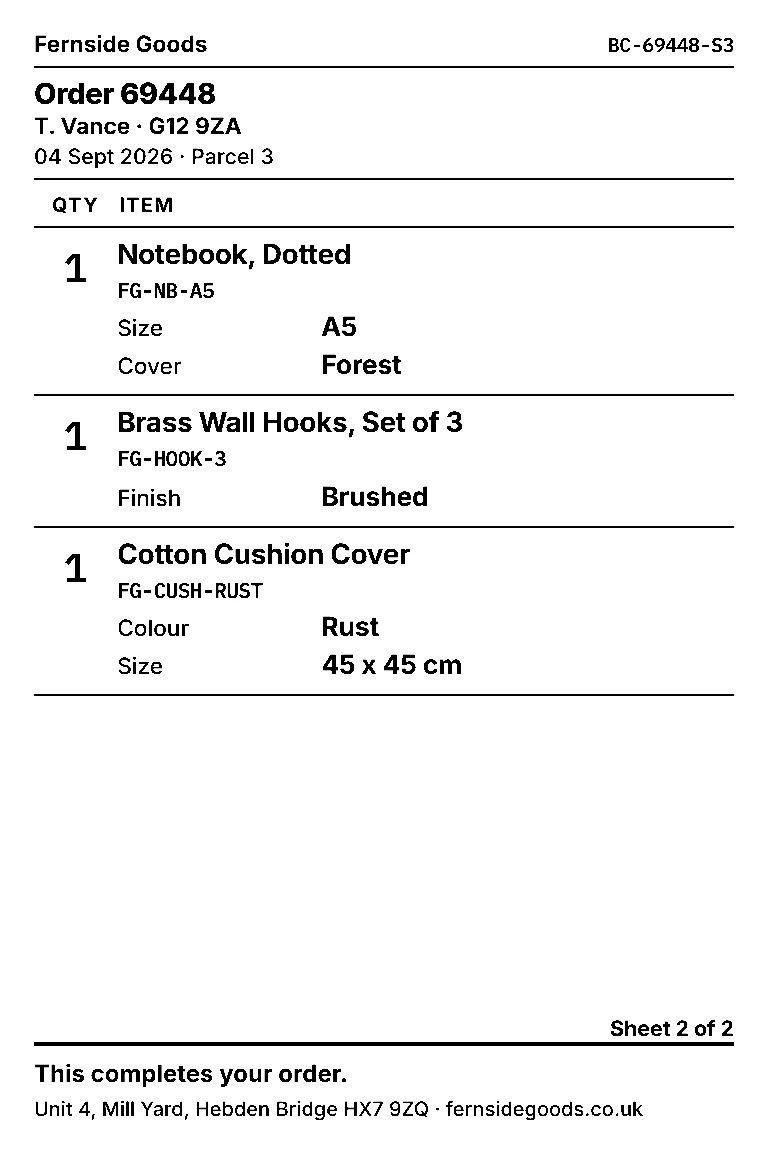
Sheet two
Seven items will not fit on one sheet, so it runs on. The second sheet drops to a half-size header, carries no second barcode, and says which sheet it is. They print in reverse so the pile comes off the printer the right way up.
The Royal Mail label is Royal Mail's. It arrives from your own account exactly as Click and Drop produces it, and DispatchThread prints it as sent without redrawing a single line of it. That is why there is no sample of one here: it is not ours to show, and a made-up one would tell you nothing true. What is ours is the paper above, and the fact that both sheets come out of the printer on the bench you are standing at.
One order, open
Deciding what goes in the box
Ordered, already shipped and remaining are shown per line, and remaining is read back from BigCommerce at the moment you commit. A part shipment somebody made by hand in the admin an hour ago is already accounted for.
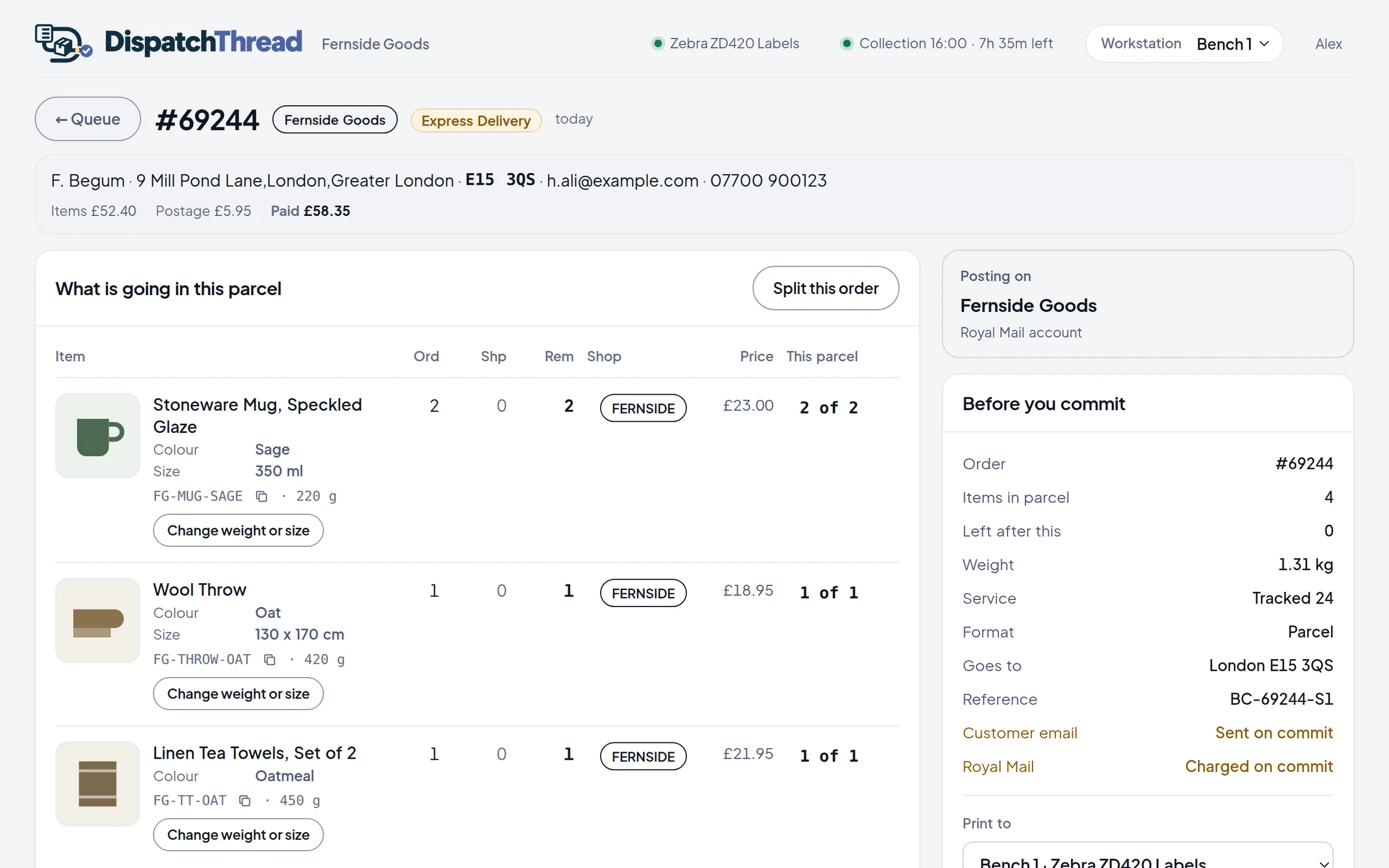
Three despatch modes
When you are not sure it is in stock
Print now
The label is bought, the slip and label print, the shipment is written to BigCommerce and the customer gets their tracking email. One press, done.
Check stock first
The label is bought and both sheets print, but the shipment and the customer's email are held back. When the item is in the box you scan the slip's barcode and it goes. If it is not there, nothing was ever promised.
Slip only, label when you scan
Only the slip prints. Nothing is charged at Royal Mail while it is out, and the order leaves the queue so a second bench cannot pack it too. The scan buys the label and prints it where you are standing.
When something goes wrong
When Royal Mail and BigCommerce disagree
Buying a label at Royal Mail and recording it in BigCommerce are two separate things that can fail independently. Most of the difficult engineering in DispatchThread is about that gap, because getting it wrong costs either money or a customer's trust.
- Remaining is never stored. It is worked out from BigCommerce inside the lock, every time.
- Never blind retry the carrier. A timeout means we do not know whether a label exists, so we ask by our own reference first.
- Once a label exists it is sacred. If Royal Mail succeeded and BigCommerce failed, the parcel keeps its tracking number and only the record catches up.
- Reconcile before retrying. A lost response looks exactly like a failure, so we match on tracking number before writing anything.
Fifty orders a month, free
Free for fifty orders a month, with no card and no end date. Run it beside whatever you use now. It starts read only, so nothing is bought at Royal Mail until you turn it on.